DPS meter · HUD · Dungeons — Aion 2 Every hit
becomes a number.
AionCore shows your party's damage during the fight, on top of the game and in the language you choose: English, Spanish, German, Russian, French or Portuguese. It reads your PC's network traffic and the game window title, and does not change Aion 2 files or memory.
How AionCore measures, and where it can get it wrong →


- Boss health and the estimated time to the kill.
- You are marked with a light outline, never a color.
- Bar color shows the role: Tank, DPS or Healer.
- PassiveReads the network and the window title
- Does not change the gameNo injection, no memory access
- Your fights stay hereIn the AionCore folder, on your PC
- In 6 languagesEnglish, Spanish, German, Russian, French and Portuguese
- FreeNo subscription, no paid ads
Out in the openAionCore 1.17.1
From download to the first number.
Nothing to set up before you play. The meter recognizes you by the game window title; the party appears when the game reports who is in it.
Before installing
- Windows 10 or 11, 64-bitRequired
- NpcapNeeded
- Aion 2 in borderless window modeRecommended
-
Install Npcap
It is the driver that lets a program see network traffic on Windows. The meter needs it; the HUD works without it.
The AionCore installer does not install Npcap
It warns you if Npcap is missing and opens the official site (npcap.com). In the Npcap installer, check WinPcap API-compatible Mode and Support loopback traffic. Npcap step by step
-
Download and install
One installer for Windows 10 and 11, 64-bit, only for your user and without asking for administrator rights.
AionCore-Setup-1.17.1.exe -
Open AionCore
Keep Aion 2 in borderless window mode: in exclusive fullscreen nothing appears on top of the game. If Npcap was installed for administrators only, the meter shows the Reopen as administrator button.
-
Hit a boss
The meter shows the damage from the first hit. To show or hide it, use the shortcut in Settings (Ctrl+Alt+D, by default).
 Fire Guardian TahabataKilled00:48
1.28M/sParty DPS in the sample fight.

Five ways to read the same fight.
The numbers are the same. What changes is the density, the background and what sits at the top, to suit your corner of the screen.
Classic Free
The familiar look. Bars in the role color, 26 px rows and big numbers on the right. Made to be read in under a second, in the middle of the fight.
Row 26 px · Radius 6 · Background 92%
Glass Free
Translucent background, no blur, rounder corners and bars in a gradient of the role color.
Row 26 px · Radius 9 · Translucent
Dense Free
22 px rows, numbers in a monospaced font and a thin bar under the name. Fits more people in a narrow column.
Row 22 px · Bar 2 px · Mono
Panel Free
Cards with the party DPS, total damage and target HP, the Players, Chart and Skills tabs and taller rows, for reading from a distance or on a second screen.
Row 30 px · 3 cards · Radius 8
Stripes Free
The default for new installs. DPS, duration and total cards on top, the tools on the same line, wide stripes in the role color and deaths next to the name.
Row 30 px · 3 cards · Radius 5
The Glass background, corners and bars on top of Dense, Panel or Stripes.
The fight is over. Now you can see what changed.
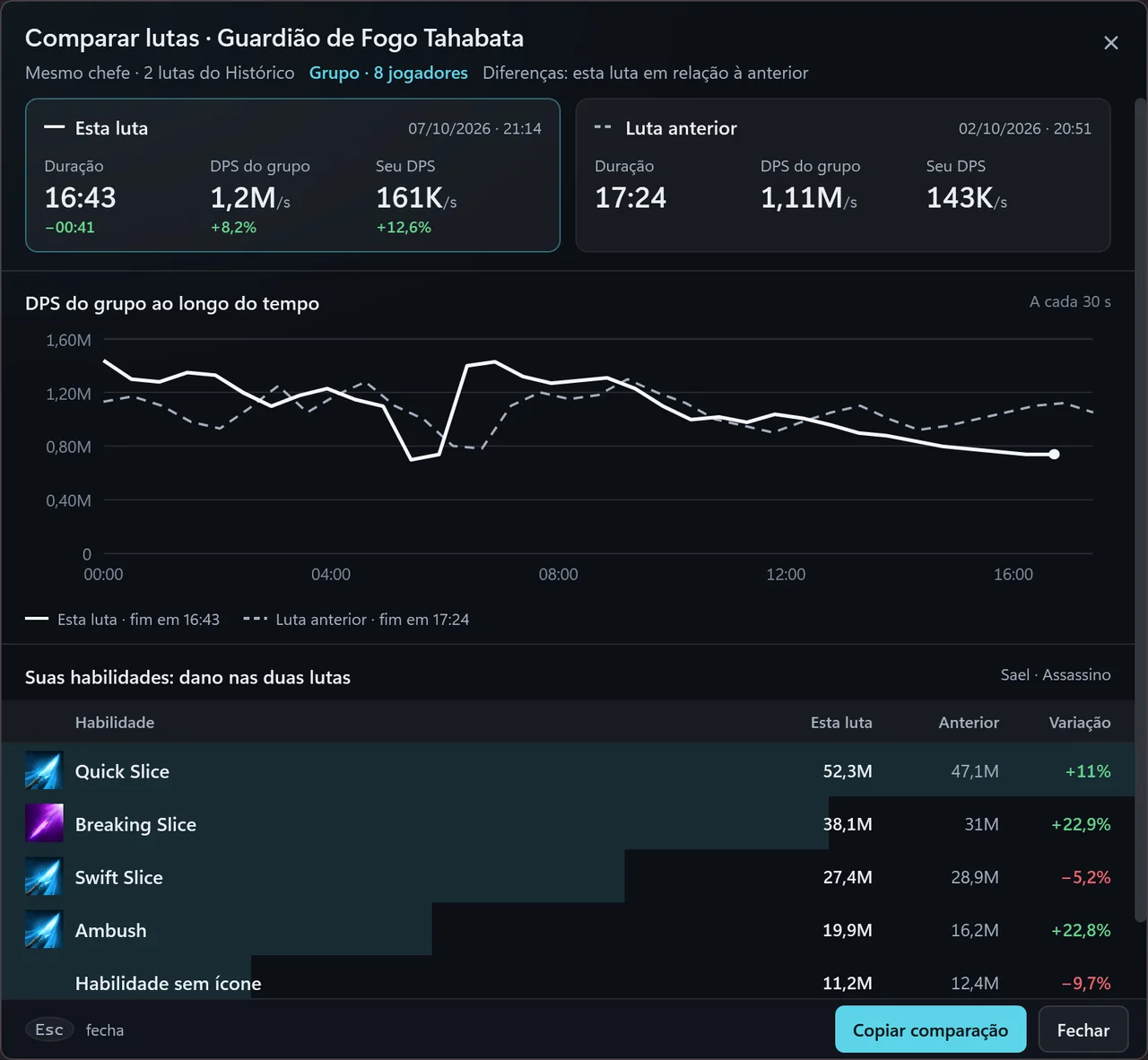
Free · In the appCompare fightsSame boss · 2 fights
Two fights against the same boss, side by side, with the difference in numbers and a button to copy it as text.
Fight summaryIn History
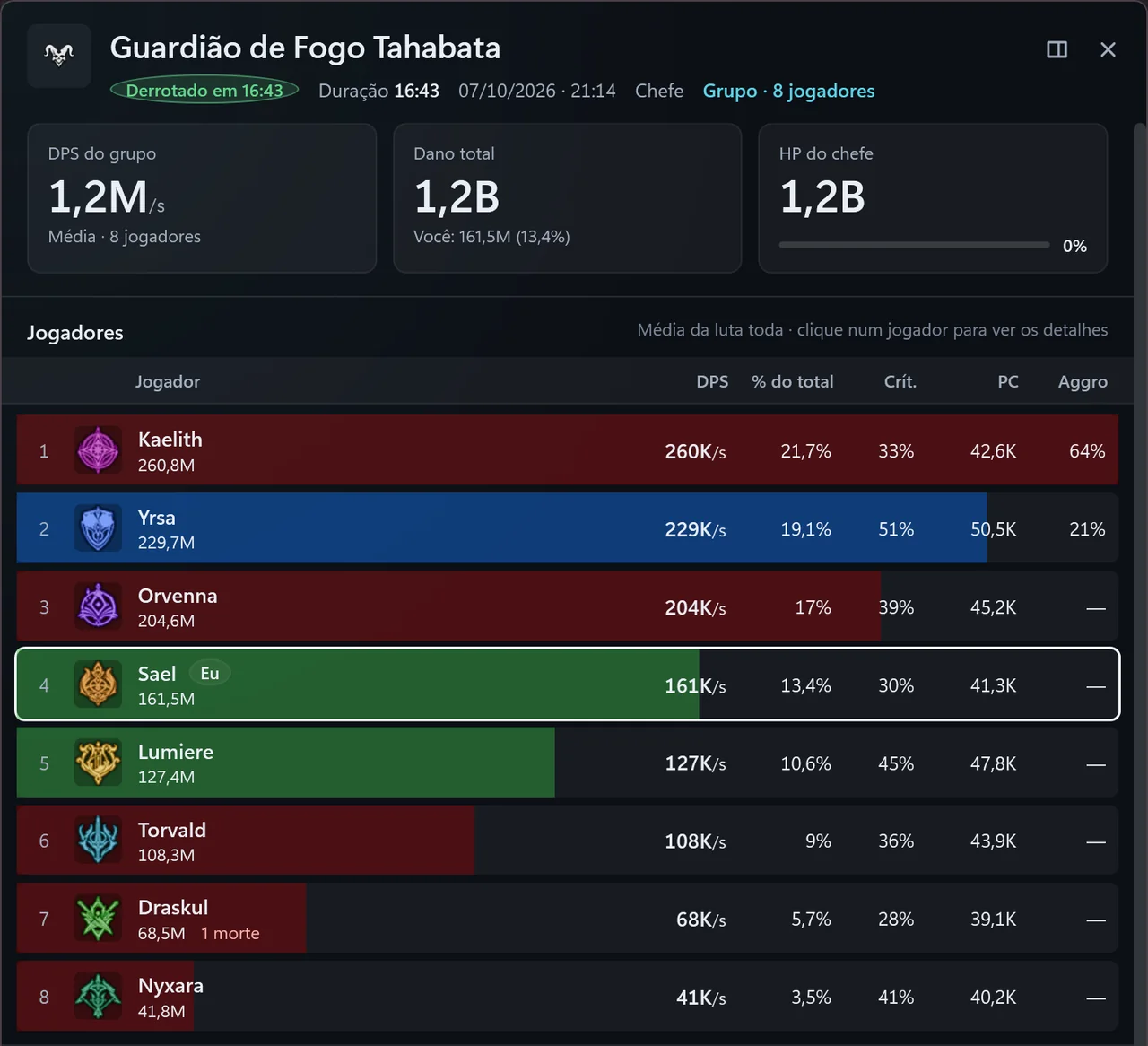
Every fight in History opens in its summary: party DPS, total damage, boss HP and each player with DPS, share of damage, crit and CP. The Copy summary button copies the text, ready to paste in chat.
Inside the app. Between one fight and the next.
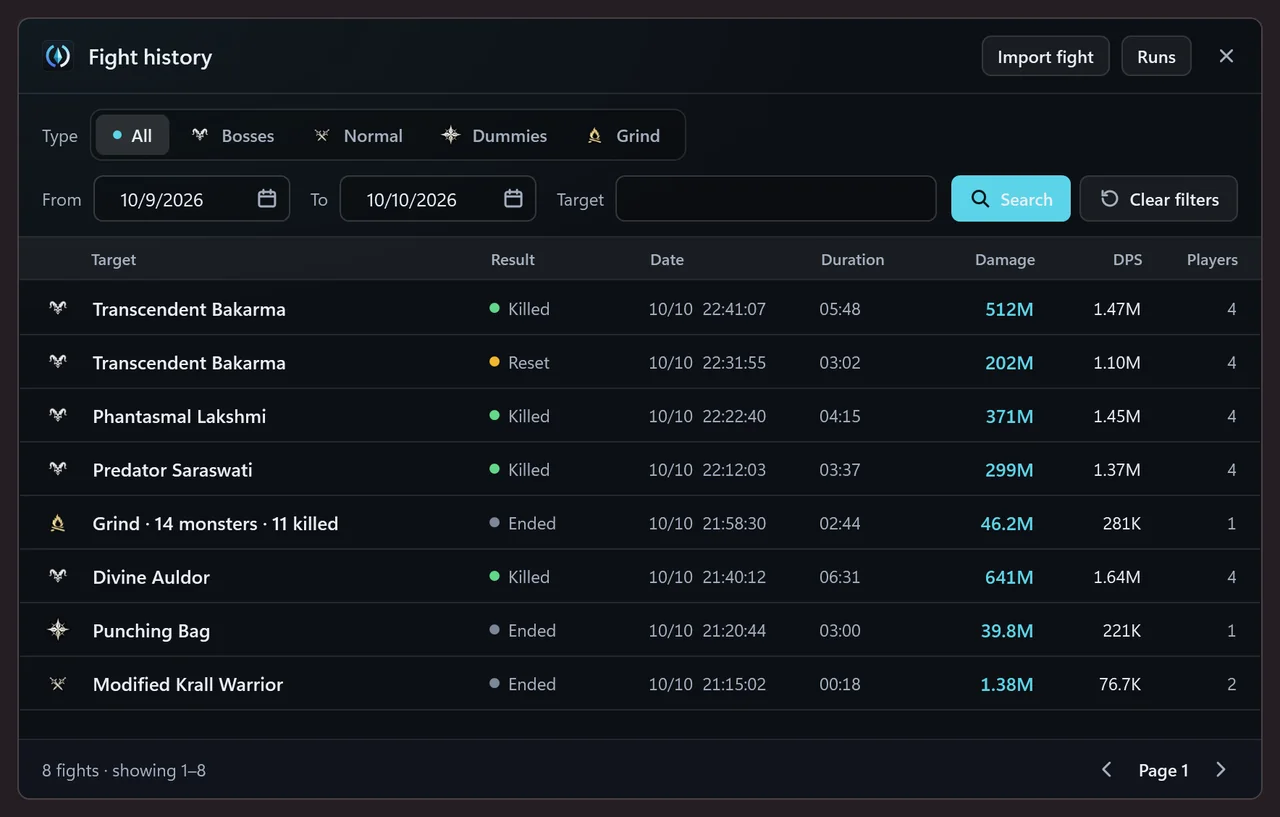
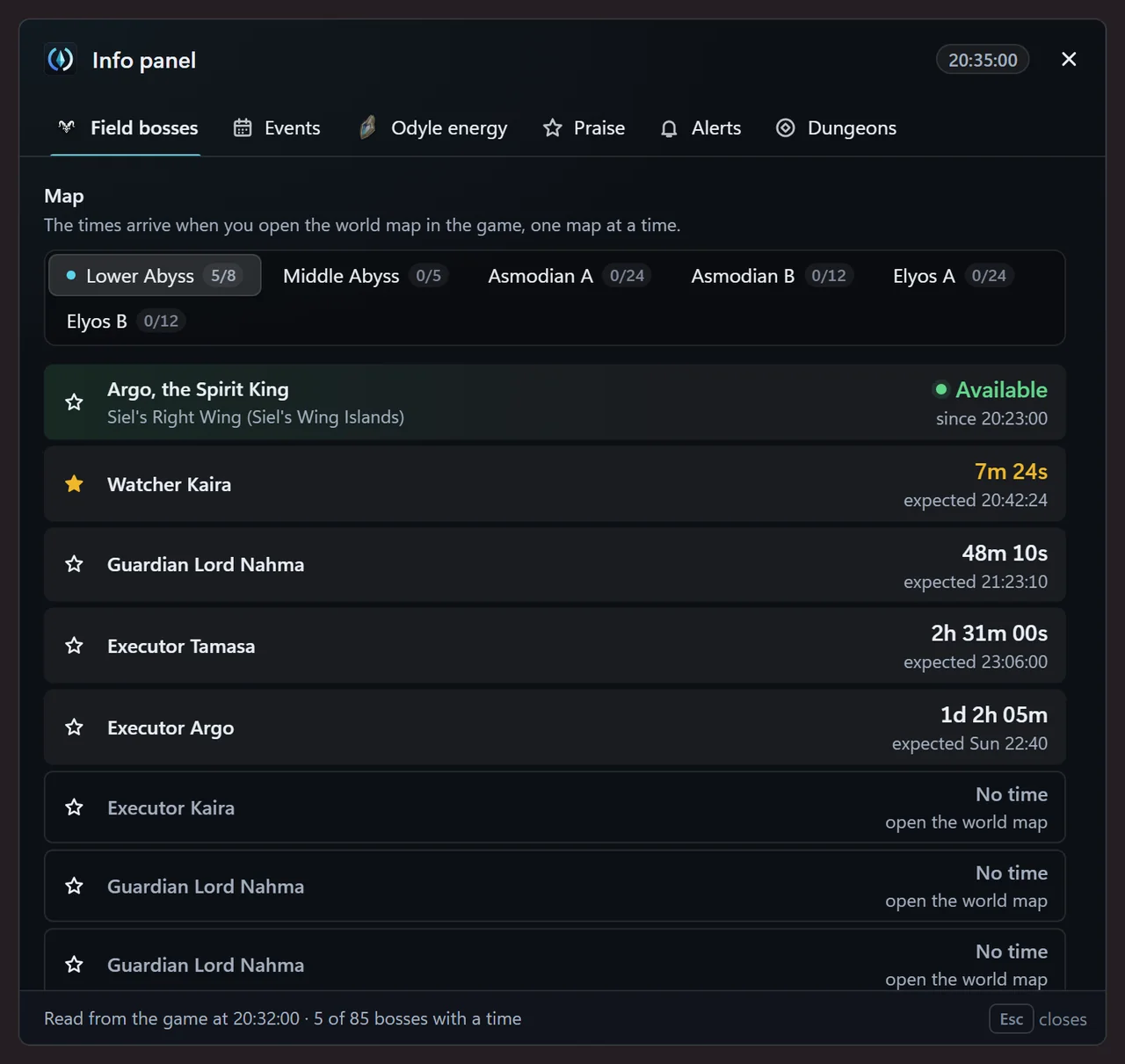
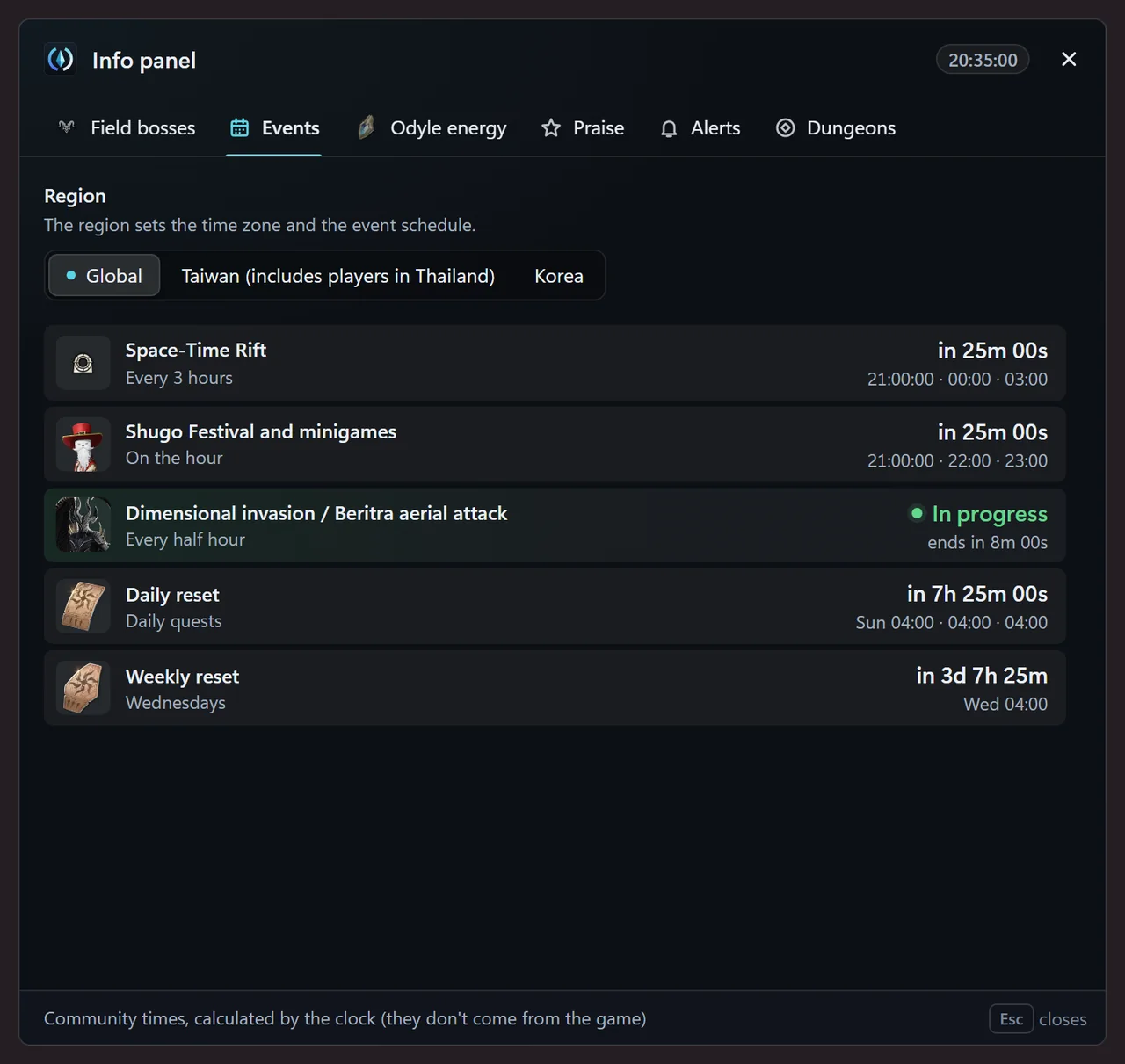
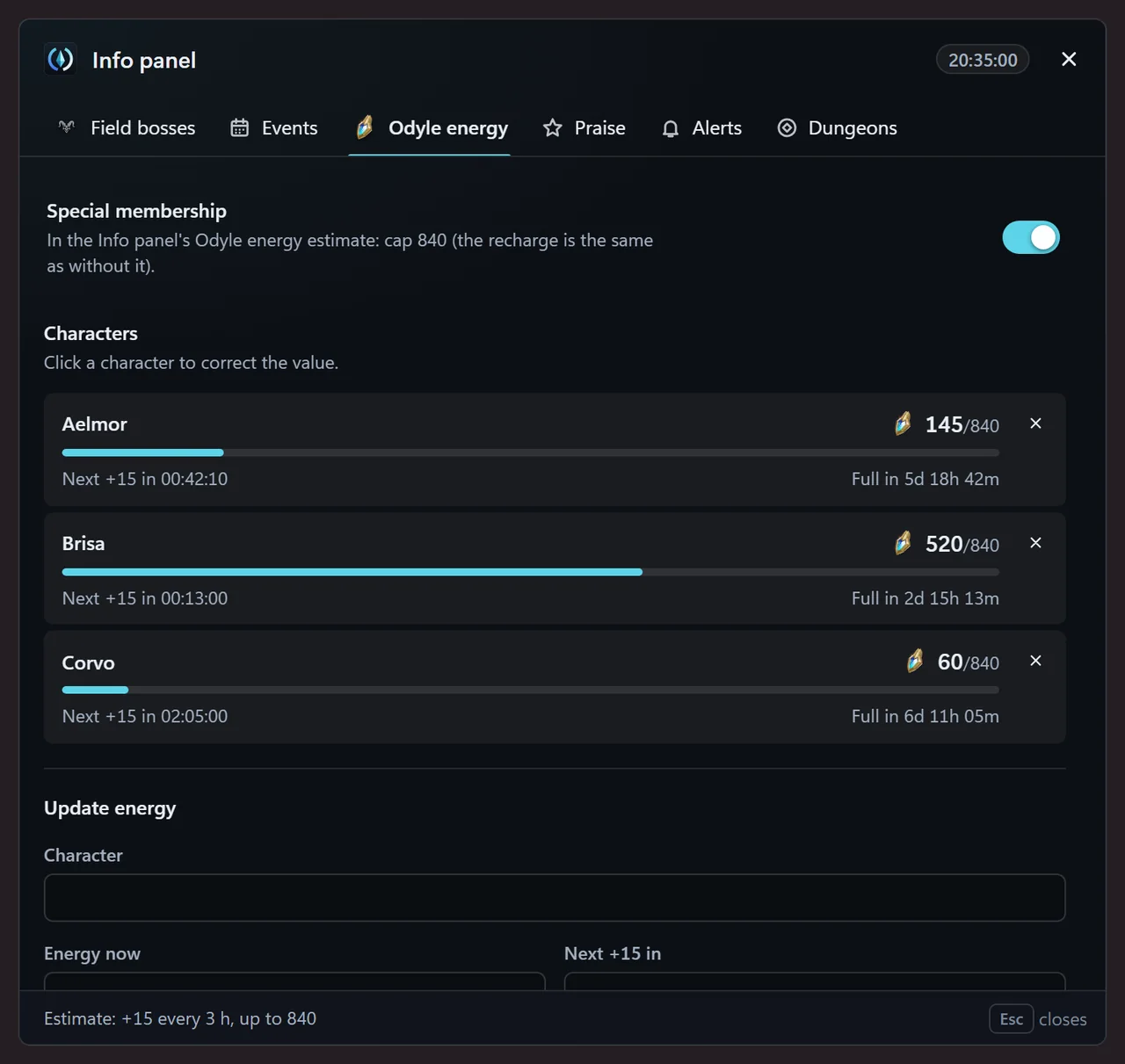
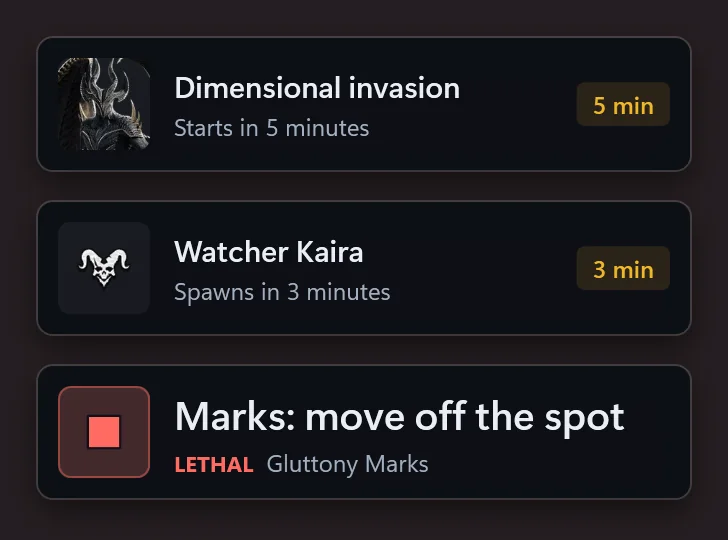
AionCore's own windows, drawn from the app with made-up fights and characters: the History, three tabs of the Info panel and the alerts that show up over the game.
New in the app
Bar, main window, checklist and pet radar.
AionCore now has a bar over the game, a main window with Home and Schedule, a checklist that reads some of the tasks from the game and a pet radar. Part of it is still being validated.
- Top bar
- Main window
- Automatic checklist
- Pets tab
- Pet radar

Before, during and after the fight.
During the fight
-
Live meter
Each player's and the party's DPS, the boss's health and the estimated time to the kill. Picks Me, Party or Raid on its own.
Free -
Floating party
The party's health in a small window, separate from the meter.
Free -
Buffs and cooldowns
Floating icons with the time left on your buffs and on the cooldowns you pick, with an alert before they run out and when the skill is back.
Free -
Boss mechanics
A panel over the game with what comes next and what to do in your role, the dungeon library and the automatic suggestion.
Free -
Mechanic alerts
One to three words at the top of the screen before the mechanic, without taking focus from the game. Opens to everyone on Nov 10, 2026.
Early -
Guard bar alerts
On-screen alert when the boss’s guard bar breaks, pauses or resets, and shortly before it breaks. Opens to everyone on Nov 11, 2026.
Early -
Color themes
Ember, Forest, Amethyst or Graphite instead of cyan, on the meter and the Floating party.
Supporters only
After the fight

-
Fight summary
Party DPS, each player, the DPS curve and your skills. One click copies the summary to paste in chat.
Free -
Compare fights
Two fights from the History side by side: the difference per player, in your skills and in DPS over time.
Free -
History
Your fights, filtered by type, target and date, plus boss runs (back-to-back bosses) with the total time.
Free -
Export fights
JSON, CSV for spreadsheets and PNG images. An exported fight opens in the History of any other AionCore.
Free
Between fights
-
Info panel
Field bosses, events and each character's Odyle energy, with times.
Free -
Event alerts
An on-screen alert before events and the field bosses you starred, with sound if you want.
Free -
Out-of-game alerts
Party and Expedition invites, calls to join and join requests, even with Aion 2 minimized. Opens to everyone on Jan 11, 2027.
Early -
Room panel
Who is in the room, with GS and combat power, who is ready and the join requests. Opens to everyone on Feb 11, 2027.
Early -
Applicant card
When someone asks to join your room, a small window shows their class, level, GS and combat power, and the fights you have already done together.
Supporters only -
Dungeon guide
How each dungeon boss works, in the Dungeons tab, to check before and during the fight.
Free
Account and community

-
Fight page
With a site account, a boss fight becomes a page, private or shared by link, with the DPS curve.
Free -
Ranking
By boss, class and region. Each person shows with their class and combat power, and with their name only if they show it.
Free -
Talk to the team
Send suggestions and report problems from inside the app, in Settings › Help and community.
Free
Everything that has been published for free stays free.
Supporters get new features first, and some are for supporters only.
How to support
Every number of the fight, per player.
During the fight and after it, AionCore shows what each person in the party did against the boss. Here the meter is paused at one moment of the sample fight from the top of the page: pick a stat to see where it shows up.
How AionCore reads these numbers, what has already been checked against the game and where it can get it wrong: it is all on the accuracy page.
See how we measureSample data · Fictional fight
-
DPS per player
You 178K/s · party 1.30M/s
Damage divided by the fight duration, for each person and for the party.
-
Total damage and share
5.50M · 13.7% of the party
How much each player dealt and what share of the party's damage that is.
-
Crit rate
37% of hits
Each player's critical hit rate.
-
Boss health and kill estimate
34.7% health · kill in 00:16
The health left and, at the party's pace, how long until the boss falls.
-
Duration and outcome
00:31 · In progress
The fight clock and its state: in progress and, once it ends, killed, reset or ended.
-
Healing and damage taken
HPS and Taken tabs
The tabs switch from damage dealt to healing done and to the damage each player took.
Your fights live on your PC. They only leave if you connect an account.
- Game server Aion 2 Sends the fight packets to your PC, as always.
- Fight packets read-only
- Your PC · AionCore Everything is calculated here Damage, history and settings stay in your own folder. On the internet, the meter only fetches skill icons (NCSOFT) and updates (GitHub), and sends anonymous technical reports, which can be turned off. AionCore folder on your PC
- Upload fight only after you sign in with Discord Demo: flip the switch. Nothing is saved or sent.
- AionCore site By default, only boss fights For the share link. You will be able to delete it whenever you want.
AionCore never
- Reads the game's memory or injects codeIt only reads the packets that already arrive over the network and the title of the game window.
- Sends commands or automates actionsIt only shows the numbers on screen: you are the one playing.
- Asks for your password or game loginTo upload fights, you sign in with Discord, if you want to.
When you upload a fight, it includes
- The boss, the duration, and each player's damage and skillsBefore the first upload, the meter shows the exact list.
- Your character's name; the other players' names are left outEach player shows up by class and combat power; the name, only for those who show it on the ranking.
- No files from your PCNo recordings, no folder paths, no computer name.
Without a connected account, nothing is uploadedNever asks for your game loginNever reads the game's memory Privacy Policy

What everyone asks.
All questionsCan I get banned for using it?
AionCore does not read the game's memory, does not inject code and does not send commands. It only reads, on your PC, the packets that already arrive over the network and the game window title. Even so, no third-party meter is officially approved: use it in line with the game's terms.
Why does it need administrator rights and Npcap?
Npcap is the driver that lets a program see network traffic on Windows. AionCore itself does not ask for administrator rights: only if Npcap was installed restricted to administrators does the meter show the Reopen as administrator button.
Does it work with the game in fullscreen?
It works in borderless window mode. In exclusive fullscreen, Windows does not let anything appear on top of the game.
Does it show damage from people not in my party?
On the scope button, Me shows only you; Party, you and your party, when the game reports who is in it; Raid, the raid. Anyone who just hits nearby is not included.
Does it cost anything?
The app is free. Everything that has been published for free stays free. Supporters get new features first, and some are for supporters only.